AI-powered CCTV drain survey reporting
Stop spending your evenings writing up drain survey reports
DrainReport's AI analyses your CCTV survey footage and pre-fills a WRC/MSCC-compliant report — coded defects, junctions, water levels and pipe data included. You just review, approve, and send.
We're putting the finishing touches to DrainReport. WRC/MSCC 5th Edition compliant output.
Sound familiar?
Report writing shouldn't be the hardest part of the job
The survey is the easy bit. It's everything that happens after — back at the office — that drains your time.
30–60 minutes of admin per report
Watching footage back in real-time, pausing to log every observation, then assembling it all in Viewline or Word.
Manual MSCC coding means errors & disputes
Defect codes, severity grades, and DRB scores all rely on a human catching every detail correctly, every time.
A backlog of write-ups after every job
The more surveys you complete, the bigger the pile of reports waiting to be written — eating into evenings and weekends.
How it works
From footage to finished report in four steps
Everything that used to take an hour at the office now takes minutes — and you're always the one who signs off.
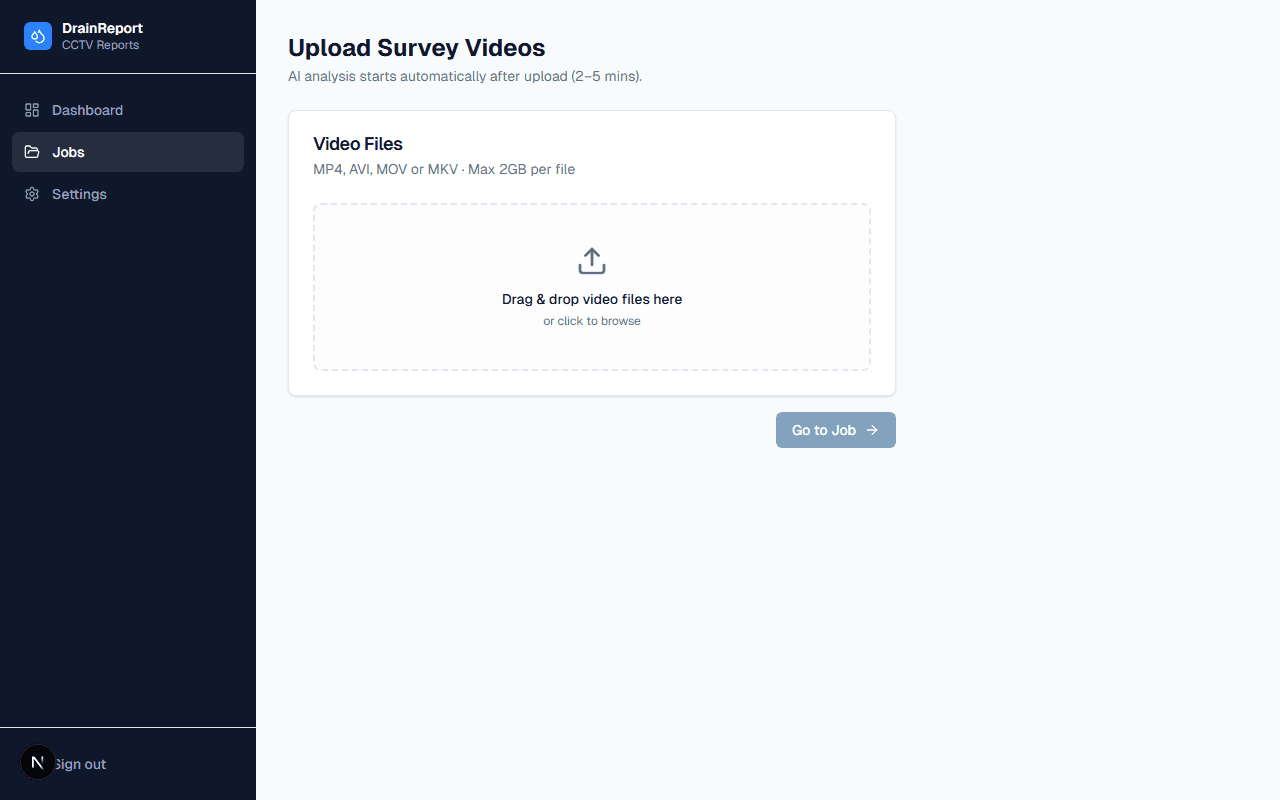
Upload your survey footage
Drag in your MP4, AVI or MOV files. Multi-section jobs are supported — upload each section under the same job.
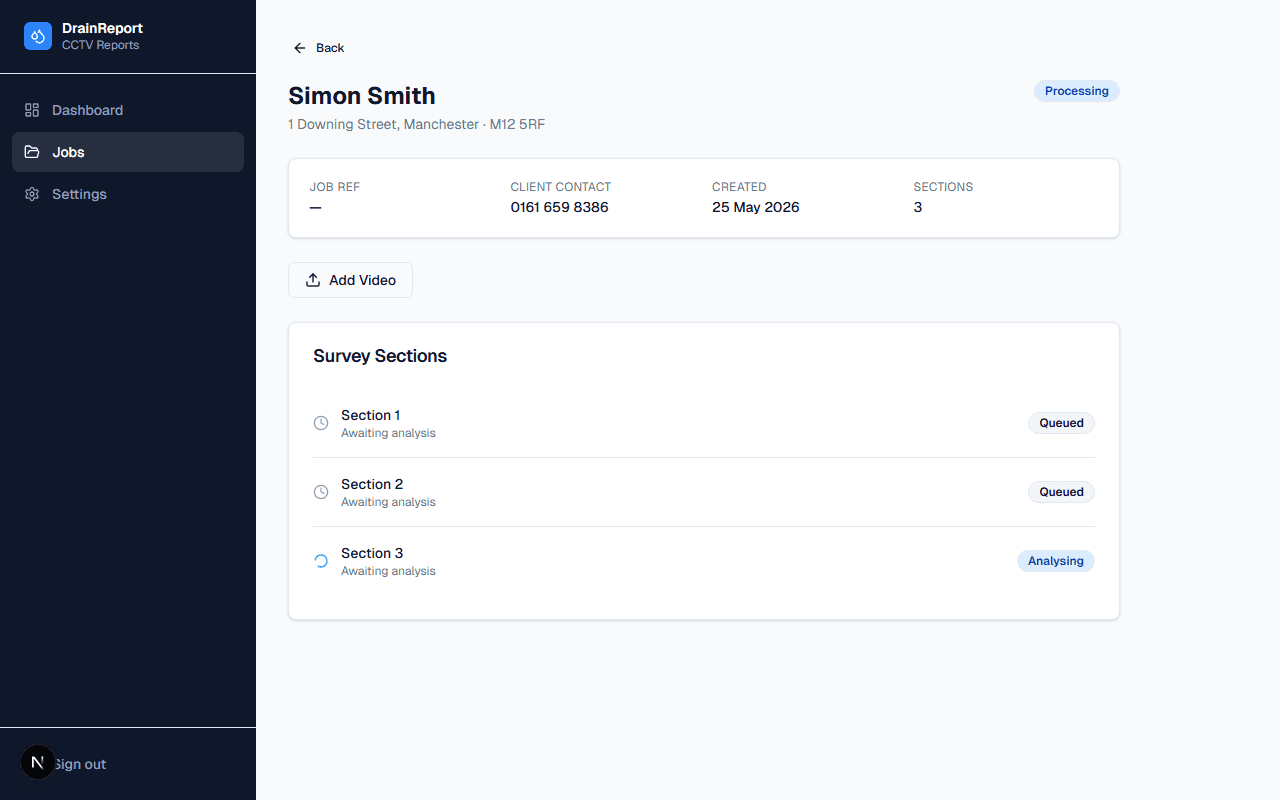
AI analyses the video
In 2–5 minutes, DrainReport identifies pipe material, diameter and shape, codes defects, junctions and water levels to MSCC 5th Edition, and tracks position from the OSD overlay.
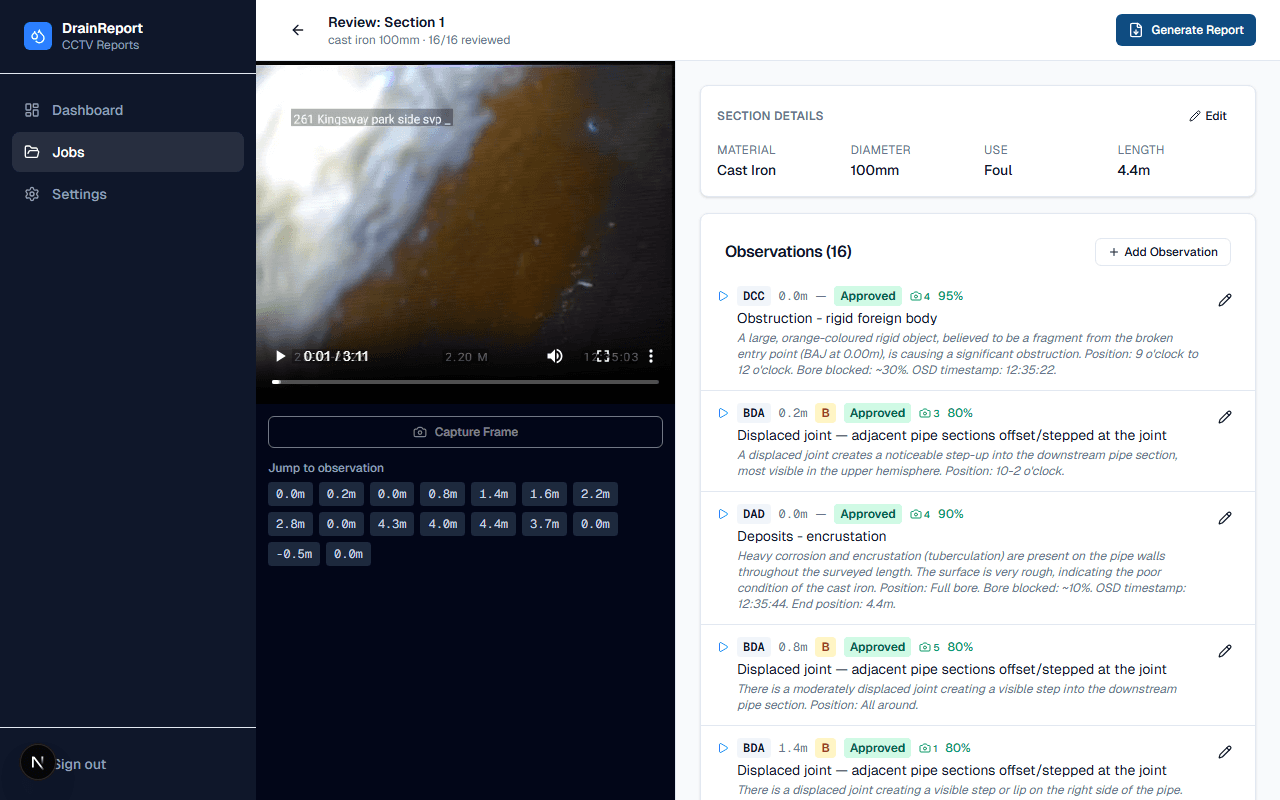
Review & approve
A synced video player and observation table let you approve, amend or decline each AI suggestion — and add anything it missed.
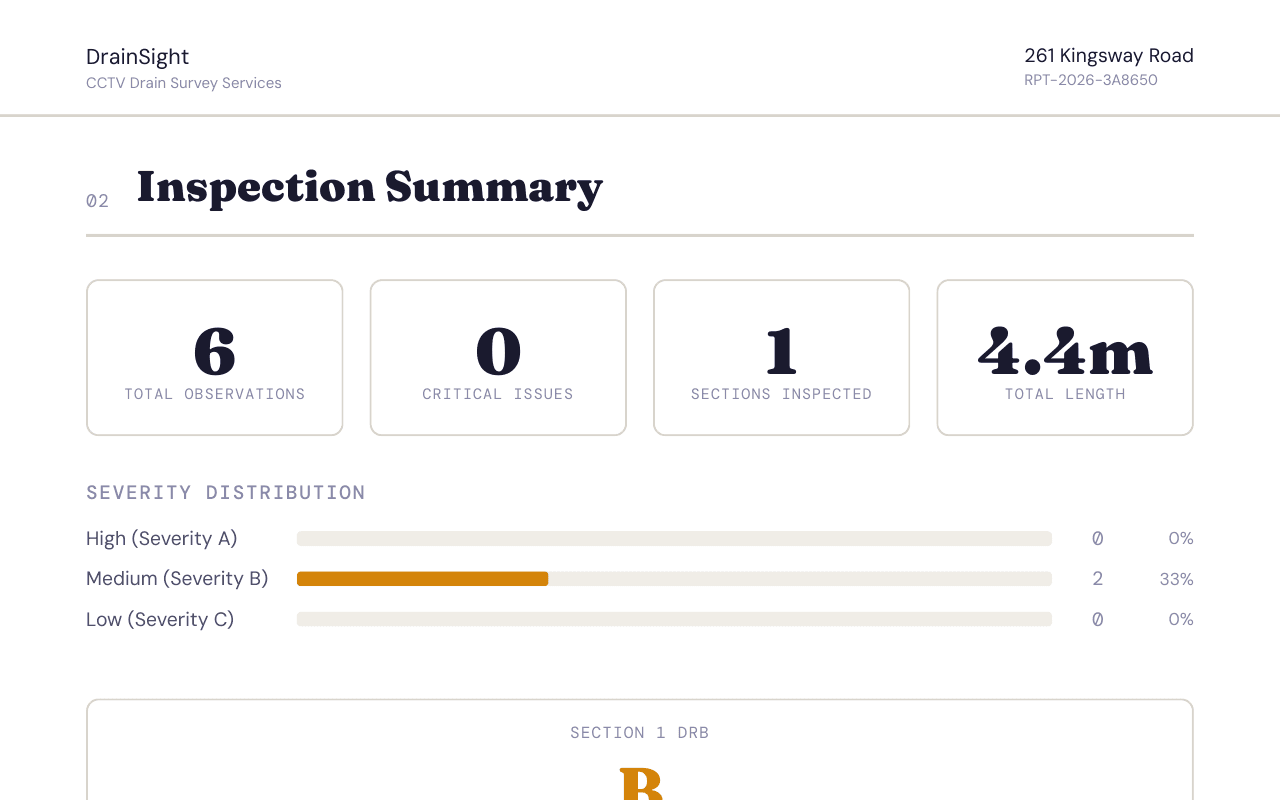
Generate & deliver
Click Generate Report for a WRC-format PDF — branded to your company, with observation tables, images and DRB grades. Download, email, or share a secure link.
What you get
Everything a WRC report needs, done by AI first
DrainReport extracts the 60–70% of report data that comes from the footage — so you only need to fill in the rest once.
AI Defect Detection
Defects are identified frame-by-frame and coded to MSCC 5th Edition, complete with severity grading.
Pipe Characteristics
Material, diameter and shape are classified automatically from the footage, with confidence scores.
Junctions & Water Levels
Junctions are logged with clock position and connecting pipe size; water levels measured as a % of pipe diameter.
Automatic Position Tracking
OCR reads the on-screen distance counter so every observation is tied to an exact position along the run.
Multi-Section Jobs
Upload as many sections as a job needs — each is analysed and reviewed independently, then reported together.
WRC-Format PDF Reports
Generate client-ready reports matching the industry-standard layout, complete with images and DRB grades.
70–80%
less time spent on report write-ups
2–5 min
AI analysis per video, faster than real-time
MSCC 5th Ed.
compliant defect coding, every time
Built for UK surveyors
Compliant, secure, and reviewed by you
WRC/MSCC 5th Edition compliant
Defect coding, severity grading and DRB scoring follow the current WRC Manual of Sewer Condition Classification.
UK-hosted data
Survey footage and reports are stored on UK-region infrastructure, in line with UK data residency expectations.
Human-in-the-loop, always
The AI proposes — you approve, amend or decline. Every report reflects your sign-off, not just the model’s.
FAQ
Frequently asked questions
- What video formats and cameras are supported?
- DrainReport accepts MP4, AVI and MOV files up to 2GB, from common drain survey camera systems including IBAK, Rausch, Ritec, Mini-Cam and CUES.
- How accurate is the AI, and do I still need to check its work?
- The AI handles the majority of report data — defect coding, pipe characteristics, junctions and water levels — with confidence scores on every observation. You review each one on the dashboard and approve, amend or decline before anything is finalised.
- Do I still need my MSCC certification?
- Yes. DrainReport speeds up report production, but a certified surveyor reviews and signs off every report. Your certificate is uploaded once during onboarding and attached to your reports.
- Is my survey data secure and UK-hosted?
- Yes. Footage and reports are stored on UK-region infrastructure, with row-level security ensuring your organisation only ever sees its own data.
- How long does processing take?
- Most videos are analysed in 2–5 minutes — faster than real-time playback — so you can move straight to review once upload completes.
- Can reports carry my own branding?
- Yes. Your company details, logo and surveyor credentials are set up once in your profile and automatically appear on every report.
Get hours back on every job
DrainReport turns your next survey into a finished, WRC-compliant report in minutes — not hours. We're not open for sign-ups just yet.
Want to know when we launch? Email hello@drainreport.co.uk